Your storefront — the first impression
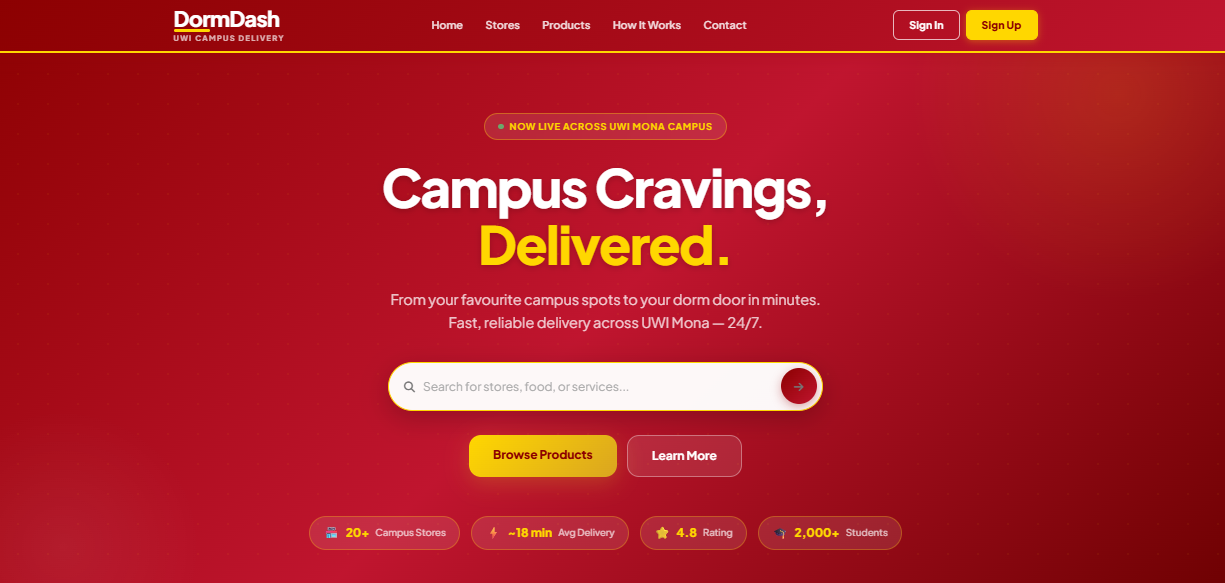
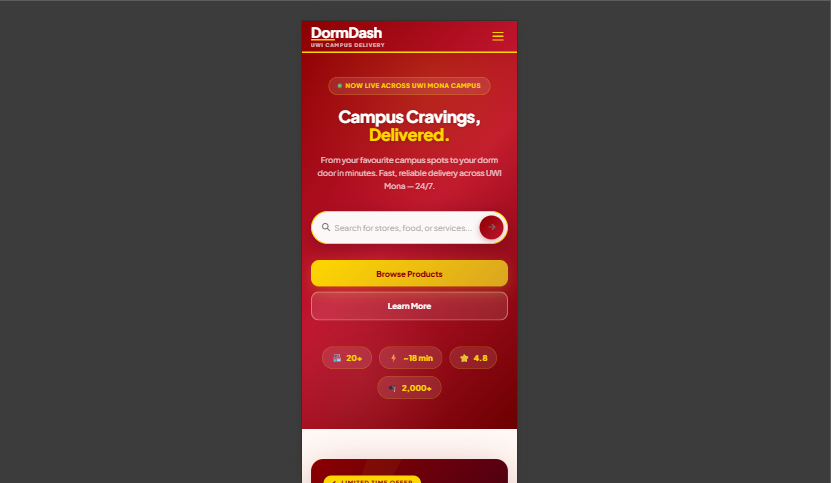
The homepage is your public face. Customers land here, browse featured products, search your store, and choose a category. It's designed to convert visitors into buyers.
Browse, filter, find — instantly
The products page gives customers the full catalogue with powerful filtering by category, price, and availability. No technical knowledge needed to maintain it.
.png)
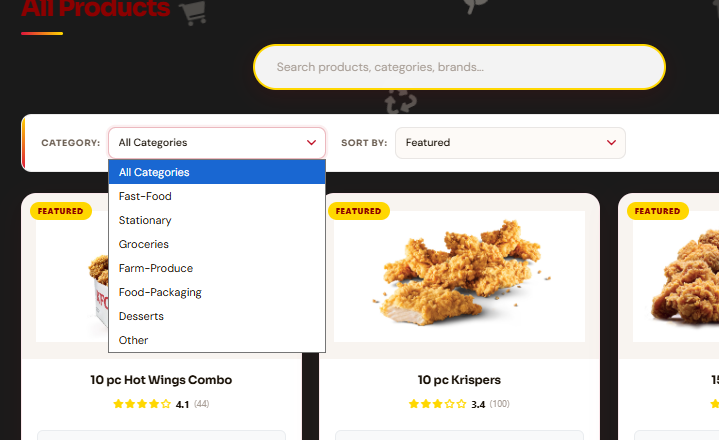
Search suggestions appear as a dropdown in real time as customers type — no page reload needed. Products surface instantly.
The cart that closes the sale
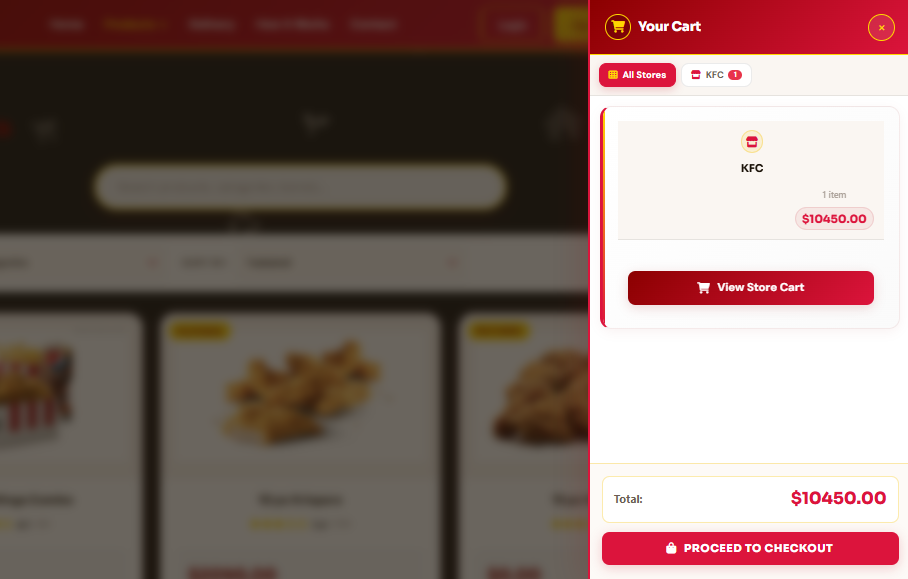
A clean, visible sidebar cart that shows items, quantities, and the running total in real time. Customers adjust quantities or remove items without leaving the page.
A checkout that doesn't lose the customer
A clean 4-step checkout guides the customer from cart review to delivery details to payment confirmation. Every step is shown clearly in a progress bar so nothing is confusing.
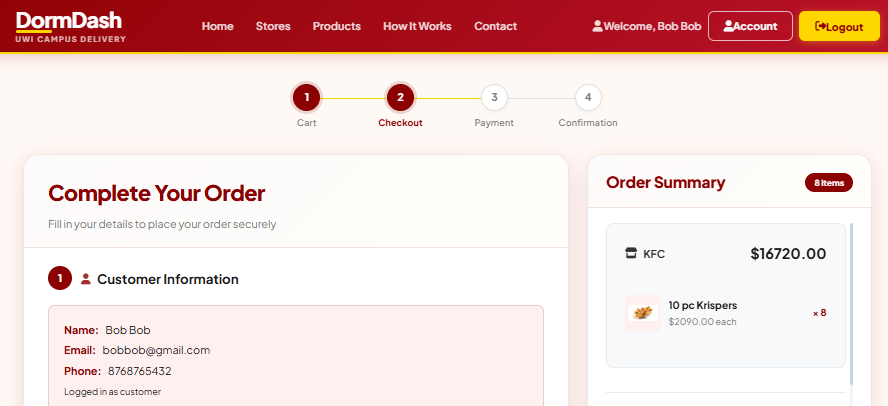
Cart Review
Customer reviews items, quantities, and subtotal before proceeding.
Delivery Details
Name, address, parish, and preferred delivery time.
Payment
Cash on delivery or online payment — whichever you enable.
Confirmation
Order confirmation with a unique order number. Customer gets an email/WhatsApp confirmation.
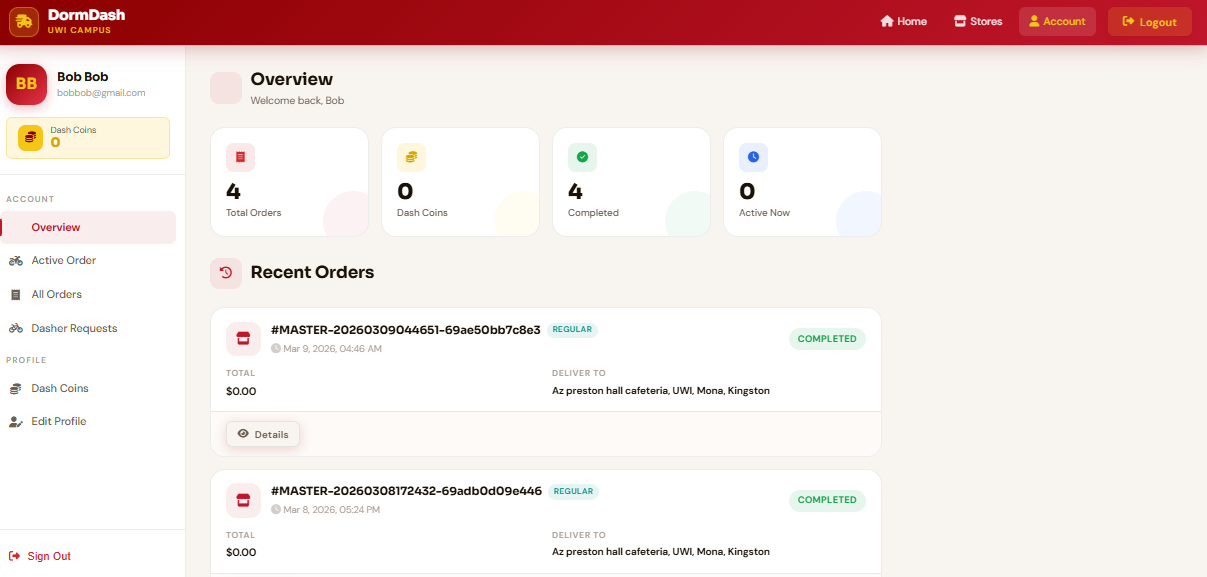
Every customer has their own portal
Customers create an account to track their orders, save their delivery address, and view order history. No more "where is my order?" calls to your team.
Your command centre — everything in one view
The admin dashboard shows you the full picture at a glance — revenue today, orders pending, new users, and stock levels. All the numbers that matter, always visible.
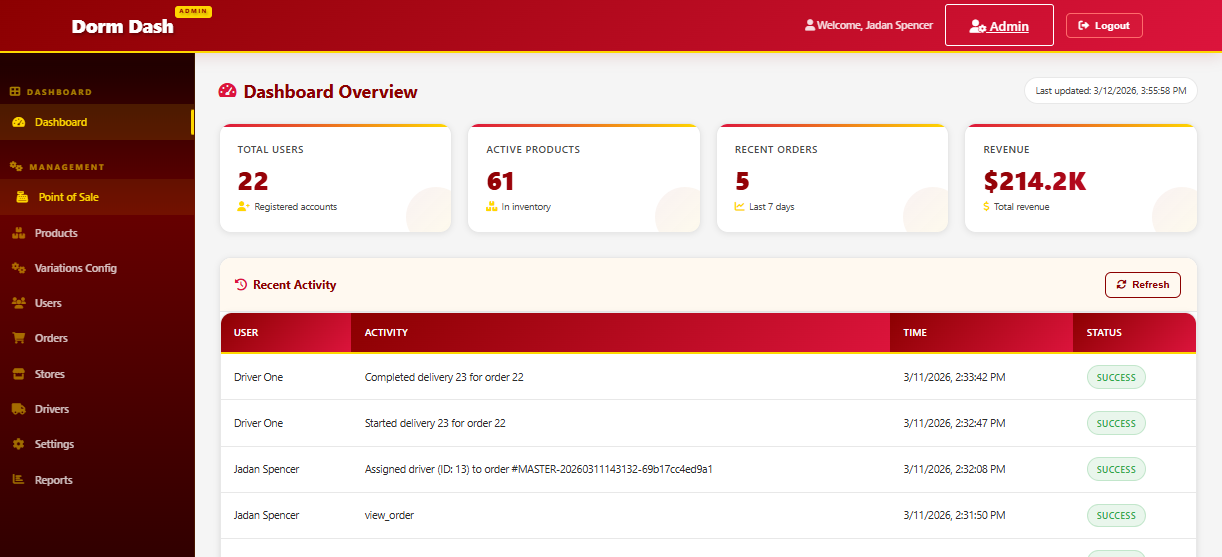
This is the most important screenshot. It shows clients that they get a real business intelligence tool — not just a website. Revenue, orders, users, and stock tracked automatically every day.
Add, edit, remove products — no developer needed
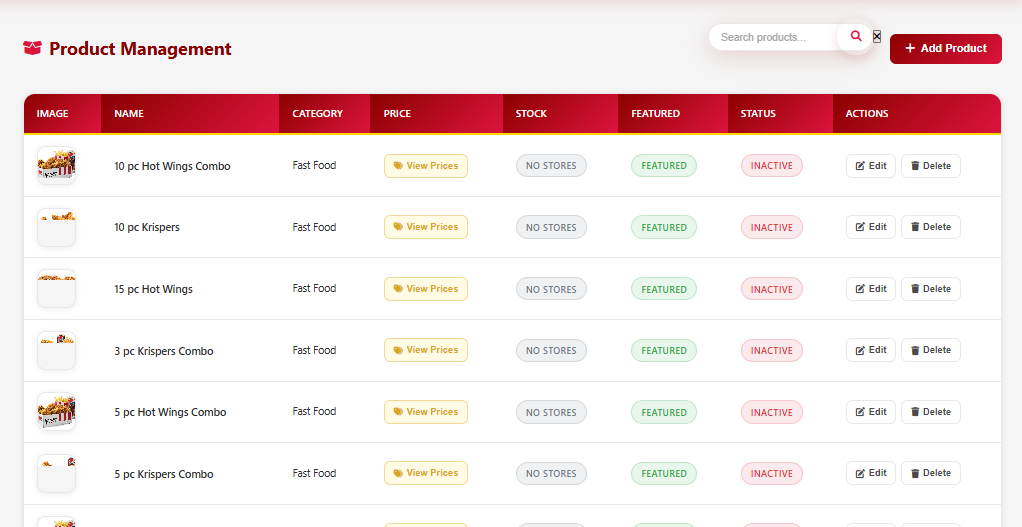
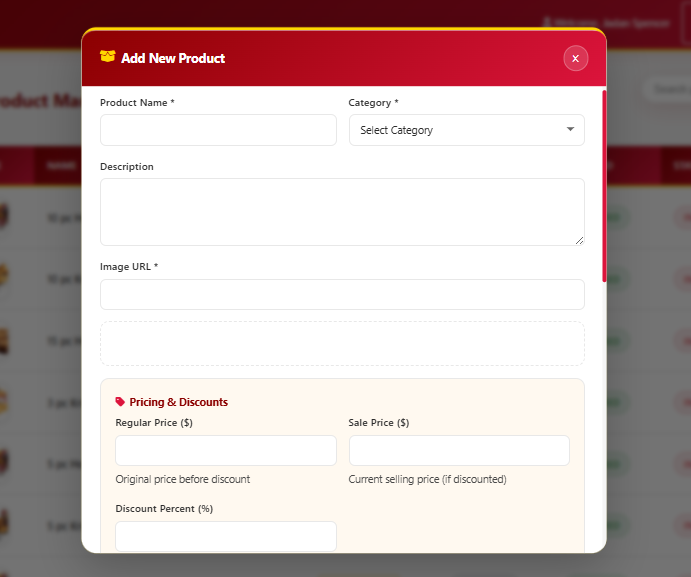
The admin panel lets you manage your entire product catalogue. Add new items, update prices, upload photos, set categories, and toggle availability — all from your browser.
 Tap to preview
 Tap to preview
Add a product
Click "Add Product", fill in the form, upload a photo. Done — it's live on your storefront immediately.
Edit anything
Change a price, update stock, swap the photo — every field is editable. No developer required.
Hide or archive
Toggle a product off if it's out of season or out of stock. It disappears from the store without being deleted.
Every order — tracked from placement to delivery
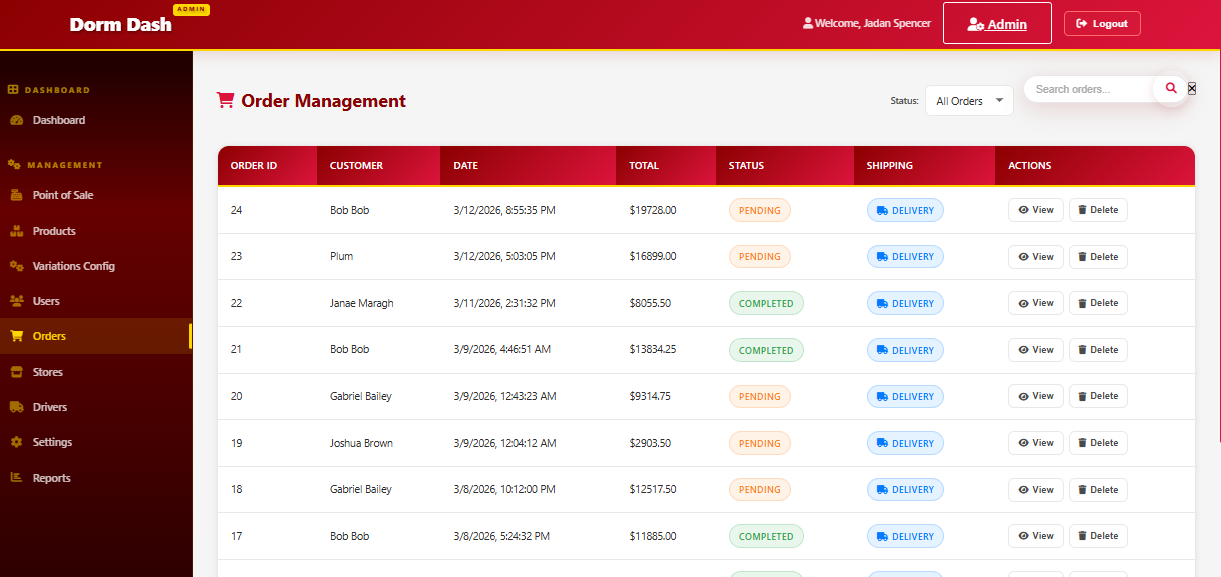
The order management panel gives you the full list of every order with status badges, customer details, and one-click status updates. Nothing gets lost.
Your driver, tracked — your customer, informed
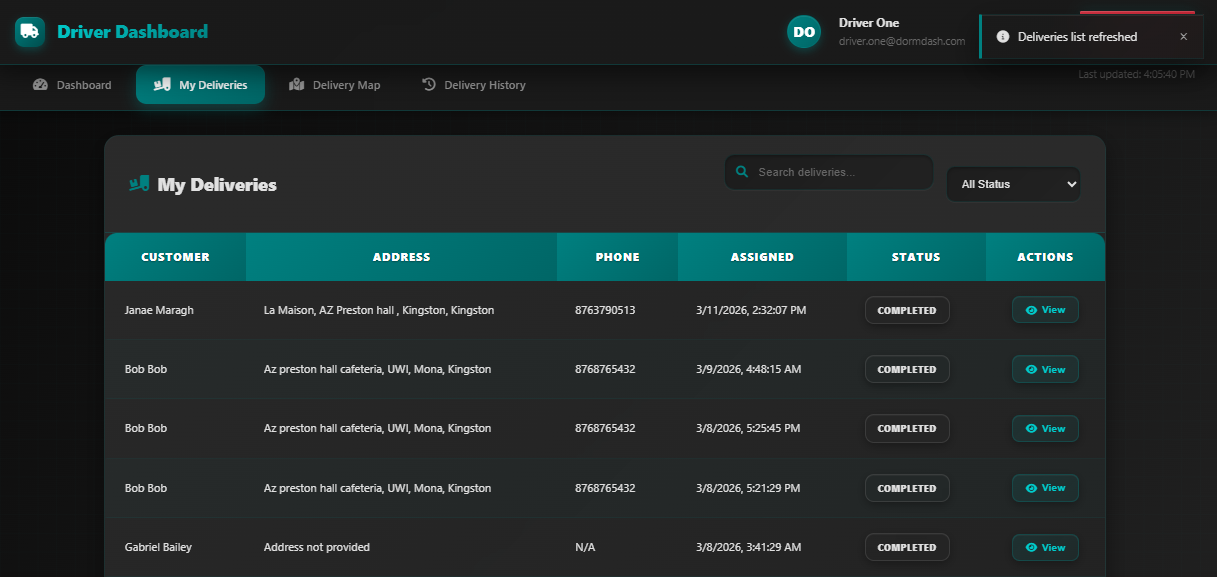
The driver panel lets your delivery staff update order status on the go from their phone. Customers see the status update in real time. No more "where is my order?" messages.
 Tap to preview
 Tap to preview
Order Assigned
Admin assigns order to a driver from the order management panel.
Driver Picks Up
Driver taps "Picking Up" — customer sees a real-time status update.
Out for Delivery
Driver taps "Out for Delivery" — customer knows the order is on the way.
Delivered
Driver marks complete — order is closed, revenue recorded, customer notified.
The driver panel is fully mobile-optimised — drivers update status from their phone without downloading an app. Just open the link in any browser.